Can an AI Learning Tool Actually Help Kids Learn? A Teacher and Homeschool Mom’s Take on Lincoln AI Learning Coach
Yes, the right AI can help kids learn, as long as it’s built to guide their thinking instead of doing the work for them. That’s what drew me to Lincoln AI Learning Coach, an AI learning tool for kids grounded in educator-developed K-12 curriculum designed to guide students when they’re stuck, using questions and hints, not finished answers.
Disclosure: This post is sponsored by Lincoln Learning Solutions. As always, all opinions and experiences are my own.
Why AI feels scary for parents right now
If the idea of an AI learning tool in your child’s life makes you a little nervous, you’re not alone. As a former classroom teacher and someone who has written about digital parenting for over a decade, I hear it from parents all the time. What is my child seeing? Is it accurate? Is it safe? Will they stop thinking for themselves? There are still so many unknowns, and it’s all moving faster than any of us can keep up with.
Here’s my take on the topic: our kids will grow up in a world where AI is simply part of everyday life. Avoiding it completely isn’t realistic. In my opinion, the better path is guiding them, teaching them when AI is useful, when it isn’t, and how to use it in ways that make them stronger thinkers.
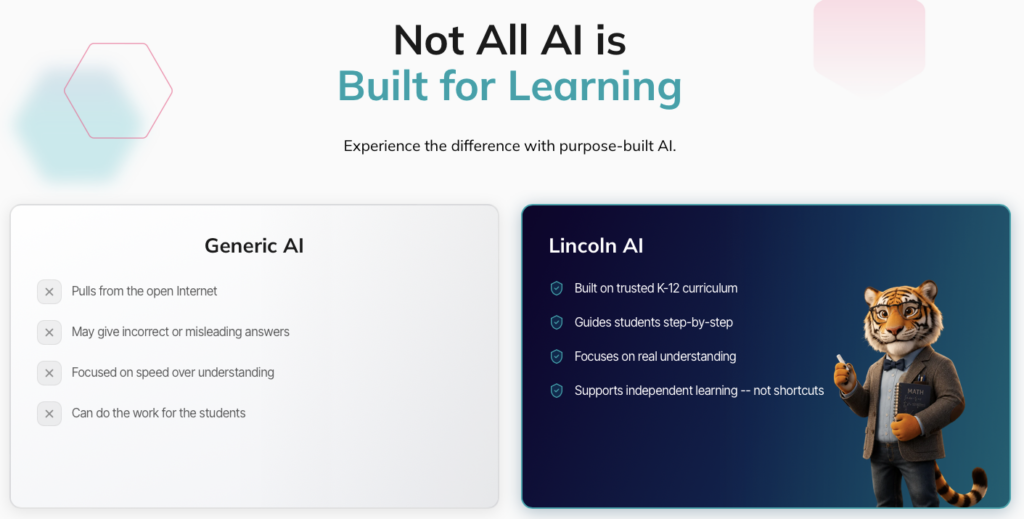
And not all AI is the same. Some tools are designed to hand over answers as fast as possible, while others are designed to support learning. That difference matters a lot to me as a parent. I’m sure it matters to you too!
When 6th grade math got tricky in our homeschool
As a homeschool mom, I’m always looking for good resources and tools to support our learning at home. My daughter is great at math and genuinely enjoys it, which I love. But around 6th grade, math starts getting tricky. Ratios, dividing fractions, negative numbers, and early algebra show up fast, and some of it goes beyond what I can comfortably help with.

As an elementary teacher, I’m fine teaching elementary math. Middle school math is a different story. Sometimes I worry I can’t keep up with a kid who is excited to keep moving ahead. The last thing I want is for her momentum to stall because I’m stuck too.
So my daughter and I started talking about getting a tutor to support her as the math concepts got harder. When I heard about Lincoln AI Learning Coach, it sounded like a great option. It offered tutor-style support with the same Socratic approach I’ve always used in my own classroom, and she could use it whenever she needed it.
Why my daughter was tired of virtual lessons
Here’s something I didn’t fully appreciate until we talked about it: my daughter was bored with the usual online lessons. You know the kind. Press play, sit, listen, then answer a few questions at the end. Even for a kid who loves math, that format made learning feel passive, like something happening to her instead of something she was doing.
Why the AI coach approach clicked for her
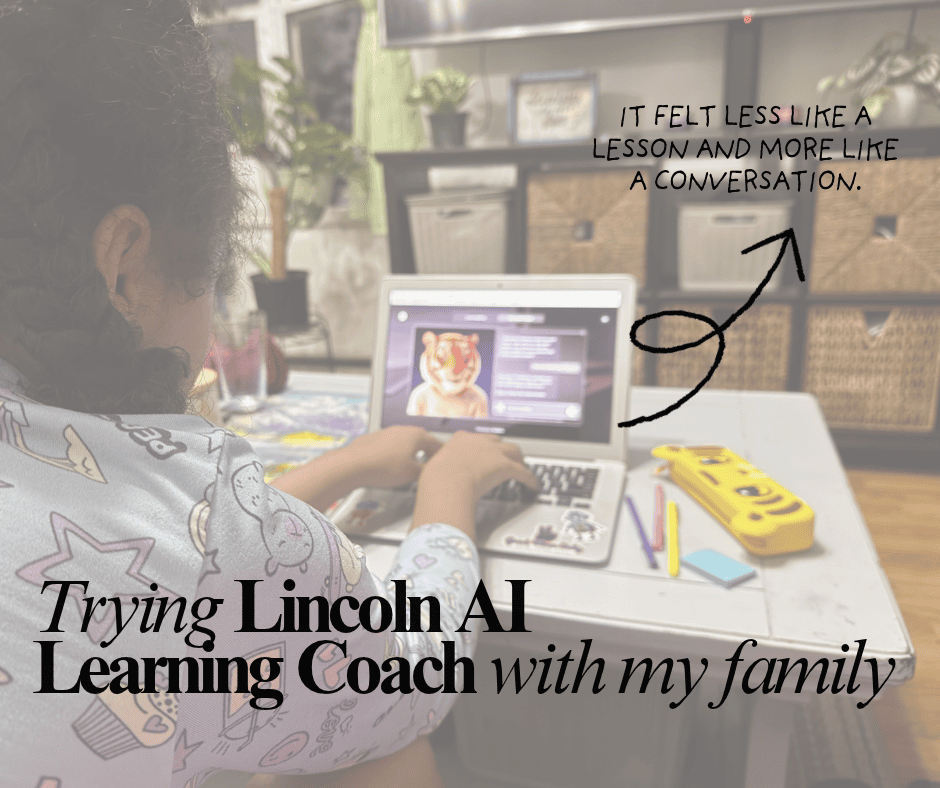
The Lincoln AI Learning Coach felt completely different to her. Instead of watching someone else work through a problem, she did the thinking. The Lincoln AI Learning Coach asked her questions, responded to her answers, and met her where she actually was. It felt less like a lesson and more like a conversation.
From her point of view, it’s interactive and personalized. She isn’t sitting through explanations of things she already knows, and she gets help on the exact step that’s tripping her up. Because of that, she’s more engaged, and honestly, what surprised me most is that she’s more willing to open a digital tool on her own when she wants to learn something.
As a teacher, this lines up with what I saw in my own classroom: kids learn more when they’re actively involved, not just listening.
What is Lincoln AI Learning Coach?
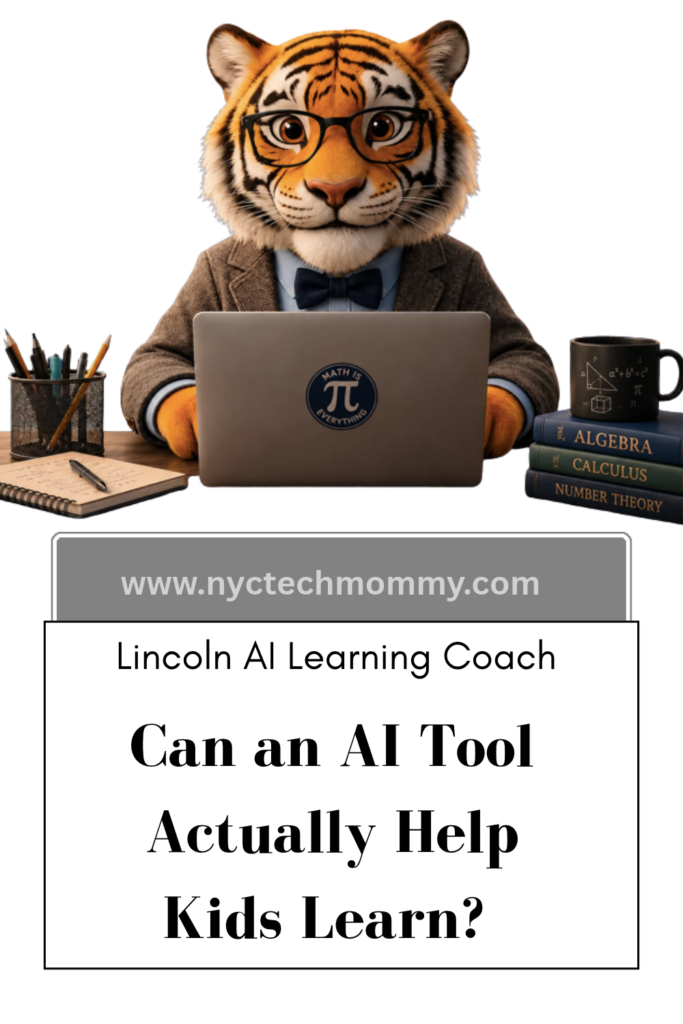
Lincoln AI Learning Coach is a web-based AI learning coach from Lincoln Learning Solutions, a nonprofit education company that has created accredited K-12 curriculum for years. The coach, a friendly, lifelike tiger character named Linc, is trained on that curriculum rather than the open internet. When a student gets stuck, Linc breaks the concept into smaller pieces, asks clarifying questions, and offers examples so the student can reach the answer on their own. There’s also an option to select a friendly female or male AI learning coach, instead of Linc.
A few things parents should know:
- It’s a stand-alone tool. Your child doesn’t need to be enrolled in a Lincoln program or school to use it, making it an option for homeschool families as well as families looking for homework support or supplemental learning alongside public or private school.
- It’s available 24/7 for homework, studying, practice, or exploring a topic.
- Kids can type or talk. Talk-to-text is built in, which helps younger kids and reluctant writers.
- Parents stay in the loop with a parent dashboard and session summaries that show what your child worked on and where they needed support.
That’s a big deal in a homeschool. If a tool feels like a chore, kids won’t reach for it on their own, no matter how good the content is.
What a Learning Coach session looks like
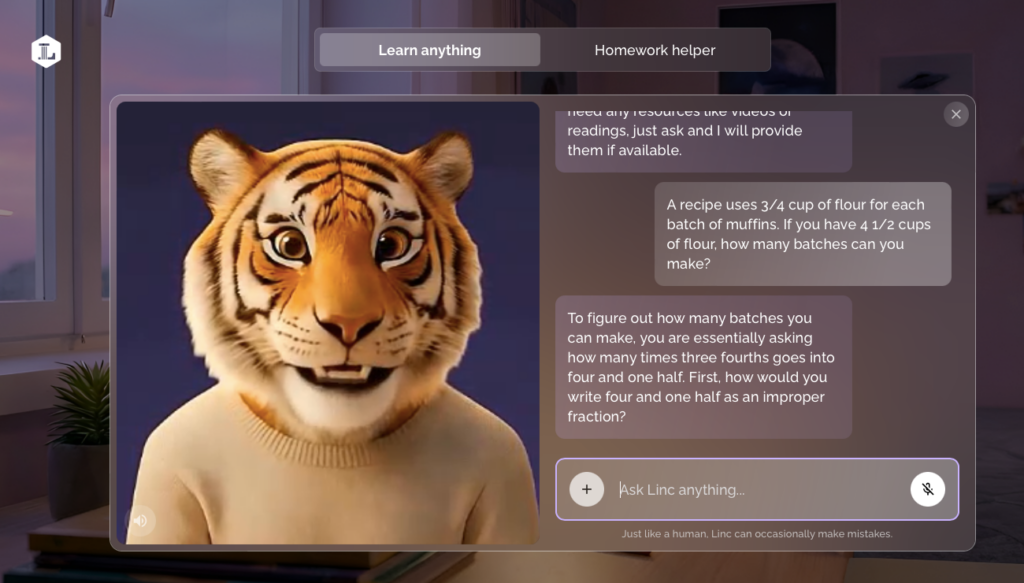
Here’s the kind of problem my daughter is working on in 6th grade math:
“A recipe uses 3/4 cup of flour for each batch of muffins. If you have 4 1/2 cups of flour, how many batches can you make?”
It’s a perfect example of where middle school math gets tricky. You have to recognize that it’s a division problem, convert the mixed number, and then divide fractions, a skill that trips up a lot of kids (and parents!).
Here’s how the coaching approach works with a problem like this:
- Your child shares the problem. They can type it in or use talk-to-text, and add where they’re stuck.
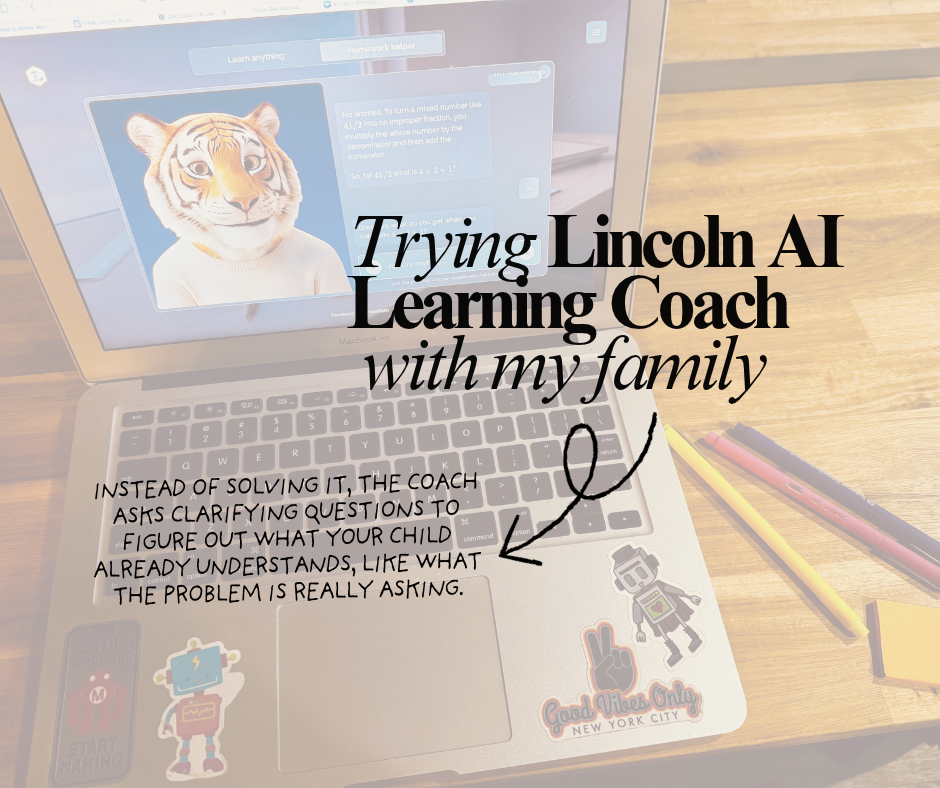
- Linc asks before it explains. Instead of solving it, the coach asks clarifying questions to figure out what your child already understands, like what the problem is really asking.
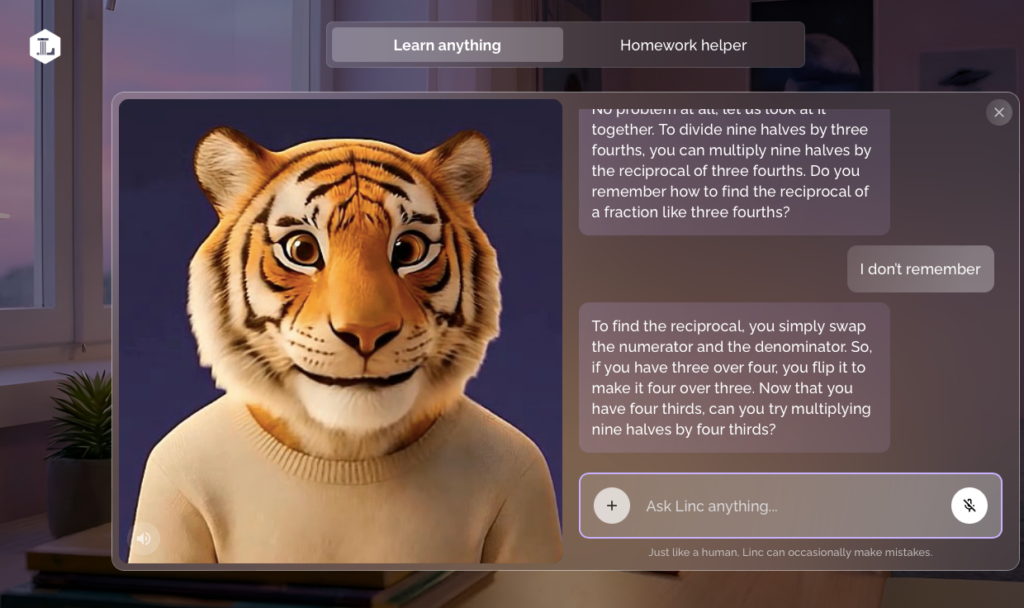
- The problem gets broken into steps. Linc guides one piece at a time, offering a hint or an example when your child needs one.
- Your child does the math. Every step stays in their hands, so the “aha” moment is theirs.
- Requests for the answer get redirected. If a student asks Linc to do it for them, the coach steers them back to working through the problem.
- Parents can check in later. Session summaries show what your child worked on and where they needed support.
What stood out to me as a teacher
- It coaches the way good teachers do. Asking questions first and letting the student do the work is exactly the approach I used in my classroom.
- It keeps a strong math student moving. She doesn’t have to wait for me to brush up on middle school math before she can tackle the next concept.
- It changed how she feels about digital learning. Because it’s interactive, she’s more likely to choose it on her own instead of treating screen-based learning as a chore.
Is Lincoln AI Learning Coach safe for kids?
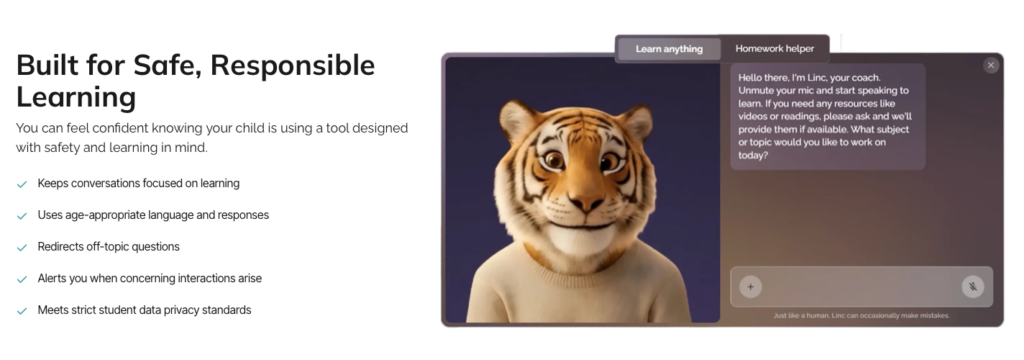
This was my first question, and it’s the one I’d want answered before handing any AI tool to my child. Here’s what Lincoln shares about safety and privacy:
- Learning-focused conversations. Linc keeps chats on schoolwork and redirects off-topic questions back toward learning.
- Age-appropriate responses. Language and explanations are designed for K-12 students.
- Parent alerts. Parents are notified if a concerning interaction comes up.
- Built-in guardrails. Responses run through monitoring and filtering designed to keep answers safe and on track.
- Student privacy. Lincoln says the Learning Coach does not store or share student information, and it meets strict student data privacy standards.
As a digital parenting writer, I’d still recommend one ground rule for any AI tool: kids shouldn’t share full names, addresses, school names, or photos.
How to sign up for Lincoln AI Learning Coach
Getting started takes just a few minutes:
- Go to the sign-up page at linc.coach/signup.
- Create your parent account. This is where you’ll find your dashboard, session summaries, and account controls.
- Add a student account for each child. Every child gets their own login, so the coach meets each one at their level.
- Start your free 7-day trial.
- Have your child log in and say hi to Linc. They can start with any homework question or topic they want to explore.
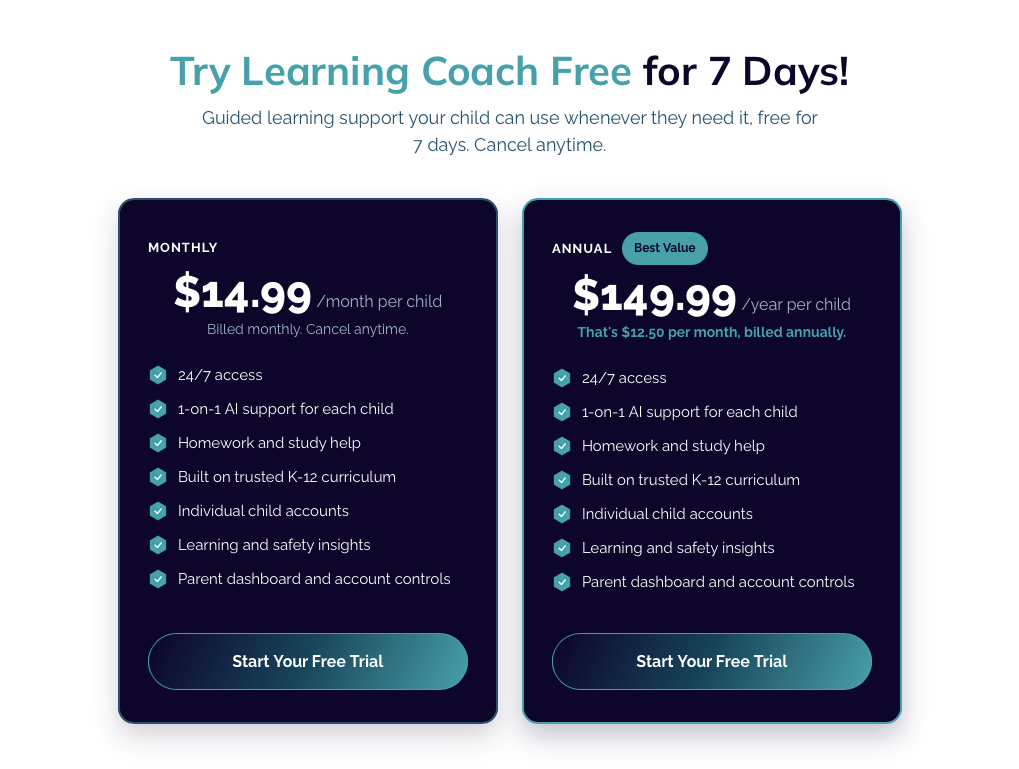
If you decide to keep it after the trial, use code COACH15 for 15% off a paid subscription. Valid until May 31, 2027. Current plans are listed on Lincoln’s family page.
How to get the most out of Lincoln AI Learning Coach
These are the tips I’d give any parent, from both my teacher brain and my mom brain:
- Sit with your child for the first session. Show them how to ask a question and how Linc responds, then step back.
- Set the expectation up front. Linc is a coach, not an answer machine. Its job is to help them think, not to finish the assignment.
- Start with a problem they’re already stuck on. Real frustration is the best test, and the “aha” moment builds confidence fast.
- Let your child lead. Kids who are tired of sit-and-listen lessons often light up when they get to drive the conversation. Let them choose what to ask.
- Let advanced kids run ahead. If your child loves math like mine does, encourage them to use Linc to explore the next concept instead of waiting for you to learn it first.
- Check the session summaries together. They’re a quick way to see what clicked and what still needs practice.
- Use it as a supplement, not a replacement. In our homeschool, it fills the gap where I’d otherwise be looking for a math tutor.
Visit the Lincoln Learning Coach Overview page to learn more.
How to talk to your kids about using AI responsibly
- AI is a helper, not a shortcut. Using it to understand is great. Using it to skip the thinking isn’t.
- Not everything AI says is right. Teach kids to double-check facts and ask, “How do I know this is true?”
- Keep personal information private—no full names, addresses, or photos with any AI tool.
- Stay curious together. Ask your child to show you what they learned. It keeps the conversation open.
Is Lincoln AI Learning Coach worth it?
For families looking for affordable, anytime support that builds real understanding, it’s worth trying. It’s especially helpful if your child is a strong or curious learner moving into material beyond your comfort zone, or if they’ve lost interest in passive video lessons. If your child needs hands-on instruction or the relationship of a live teacher, it works best paired with a tutor or class.
Ready to try it? Start your free 7-day trial of Lincoln AI Learning Coach and use code COACH15 for 15% off a paid subscription. Valid until May 31, 2027.

Frequently asked questions
Is AI safe for kids to use for homework?
It can be, if the tool is designed for kids. Look for one built for learning, with age-appropriate responses, guardrails that keep conversations on topic, and parent visibility. Lincoln AI Learning Coach includes all three, plus parent alerts for concerning interactions.
How do I keep my child engaged in online learning?
Kids do best when we choose learning tools that make kids active participants, not passive viewers. Interactive formats, like an AI coach that asks questions and responds to your child’s answers, tend to hold attention better than videos they simply watch. Letting kids choose what to explore helps too!
Will an AI learning tool do my child’s homework for them?
General AI chatbots often will. Lincoln AI Learning Coach is designed not to. When a student asks it to complete their work, it redirects them back to the problem with questions and hints.
Why does math get harder in 6th grade?
Sixth grade is when math shifts from arithmetic toward abstract thinking. Kids start working with ratios, rates, dividing fractions, negative numbers, and expressions with variables, which lay the groundwork for algebra. It’s also when many parents find the material harder to help with at home.
How can I help my child with middle school math if I don’t remember it?
You don’t have to be the expert. Ask your child to explain their thinking, encourage persistence, and lean on tools built to coach, like an AI learning tool that guides with questions. A tutor or co-op class can help too.
Is Lincoln AI Learning Coach good for homeschoolers?
Yes. It’s a stand-alone tool, so no school enrollment is needed, and it covers K-12 subjects. That makes it an easy add-on for independent practice or extra support in a subject that’s moving beyond what you teach comfortably.
Can an AI learning tool replace a math tutor?
For many families, it can cover a lot of everyday support, like working through homework, practicing skills, and reviewing concepts anytime. Kids with significant learning gaps may still benefit from a human tutor alongside it.
How much does Lincoln AI Learning Coach cost?
There’s a free 7-day trial. As of October 2026, plans are $14.99 per month or $149.99 per year per child, and use code COACH15 for 15% off a paid subscription. Valid until May 31, 2027.
Check Lincoln’s family page for current pricing.
Can my child use it without typing?
Yes. Lincoln AI Learning Coach supports both typing and talk-to-text.
Would you try an AI learning tool in your homeschool?


You May Also Like

How to Get Organized & Set Up a Successful At-Home Learning Routine

Kinet-X: More Than Just Another STEM Summer Camp

